CASE STUDY IN PROGRESS
Questionnaire Builder
I led the evolution of Pollfish’s core survey creation system, from quick validation surveys to complex research studies. I introduced advanced methods, logic, and dynamic structures while keeping the builder intuitive for both new and expert researchers.
Survey creation system
Advanced Survey Logic
2018 - Present
The challenge
User spectrum
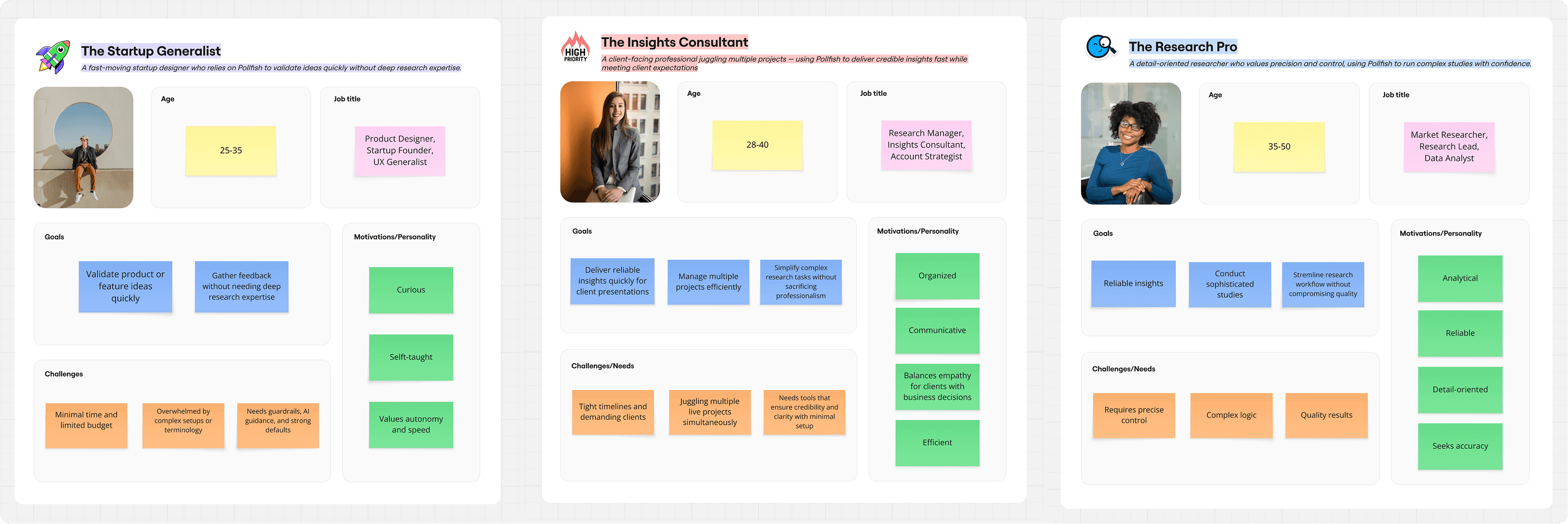
The builder needed to support a wide range of users:
- startup founders validating ideas quickly
- consultants running multiple client studies
- professional researchers designing complex studies
The challenge was evolving a simple survey builder into a system capable of supporting advanced research workflows without overwhelming less experienced users.
This required balancing simplicity for quick surveys with the flexibility needed for more complex research logic and structures.
Three primary user archetypes shaped how the builder balanced speed, clarity, and advanced capabilities.
The system
This system gradually evolved into three interconnected layers. Each layer expanded over time as Pollfish introduced more sophisticated research workflows.
Survey structure
How questions and answers are created and edited
Survey flow
How respondents move through the survey
Research capabilities
How advanced methods are modeled in the same builder
Survey Structure
Editing model
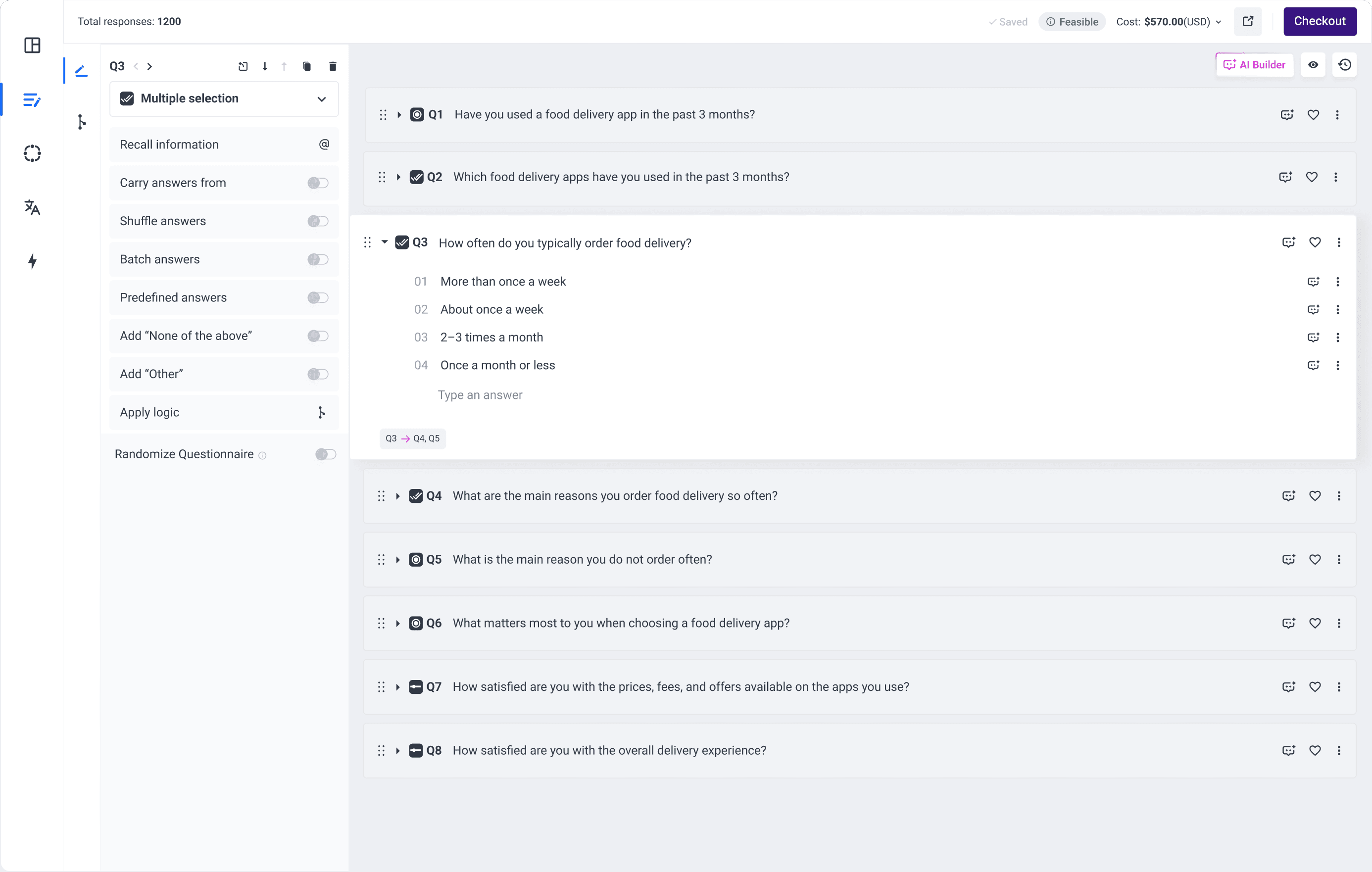
At its core, every survey follows the same structure: Question → Answers → Configuration
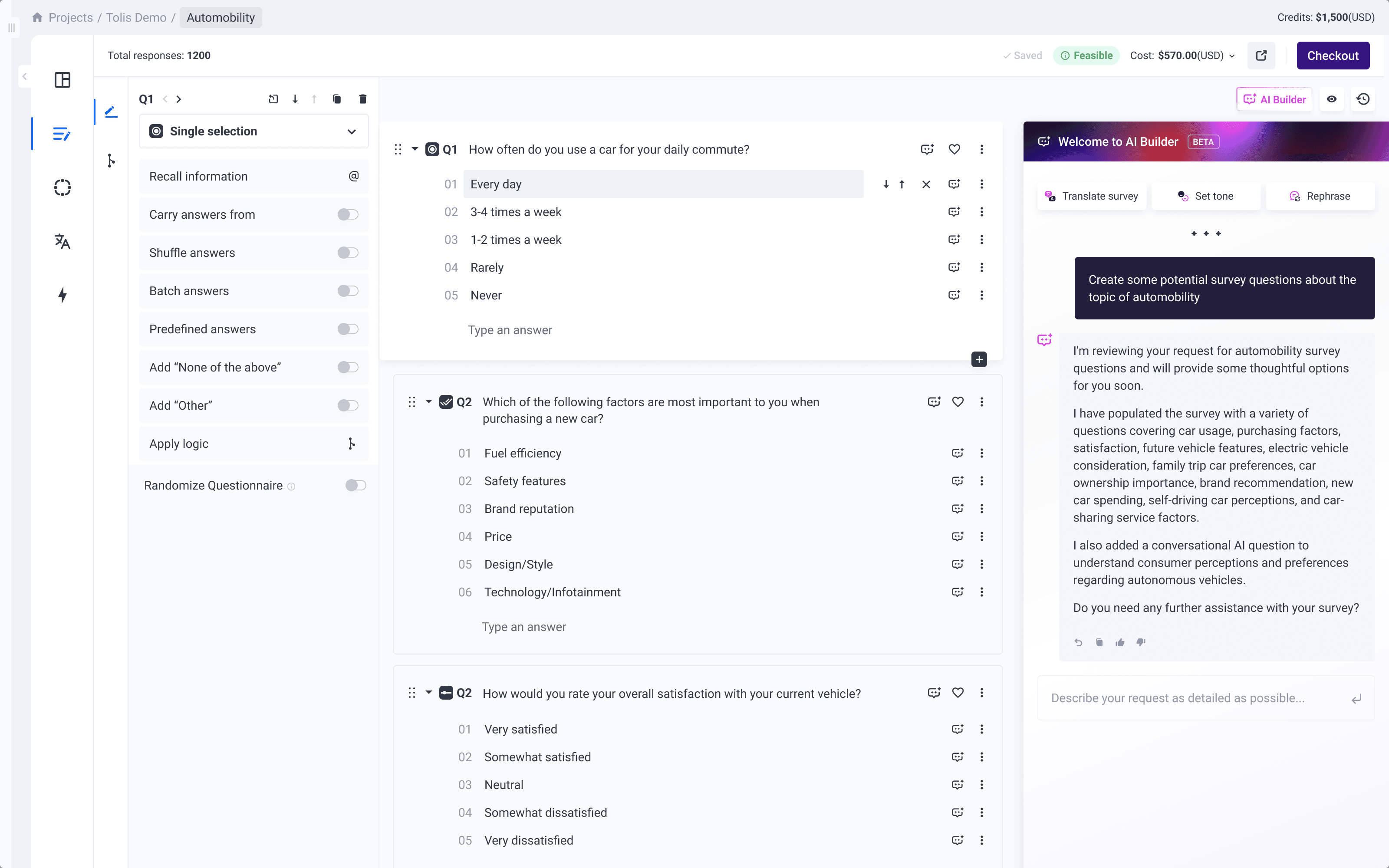
The builder is organized into two main areas: the survey structure on the right, where all questions are displayed, and the question settings on the left, which update based on the selected question.
Selecting a question updates its configuration panel, allowing researchers to edit structure and settings within the same workspace.
Navigation is also built into this model. Researchers can move between questions using inline controls or arrow navigation, making it easier to manage longer surveys without losing context.
In-page flow animation: empty state to first two questions (add question, pick type, write, and continue building).
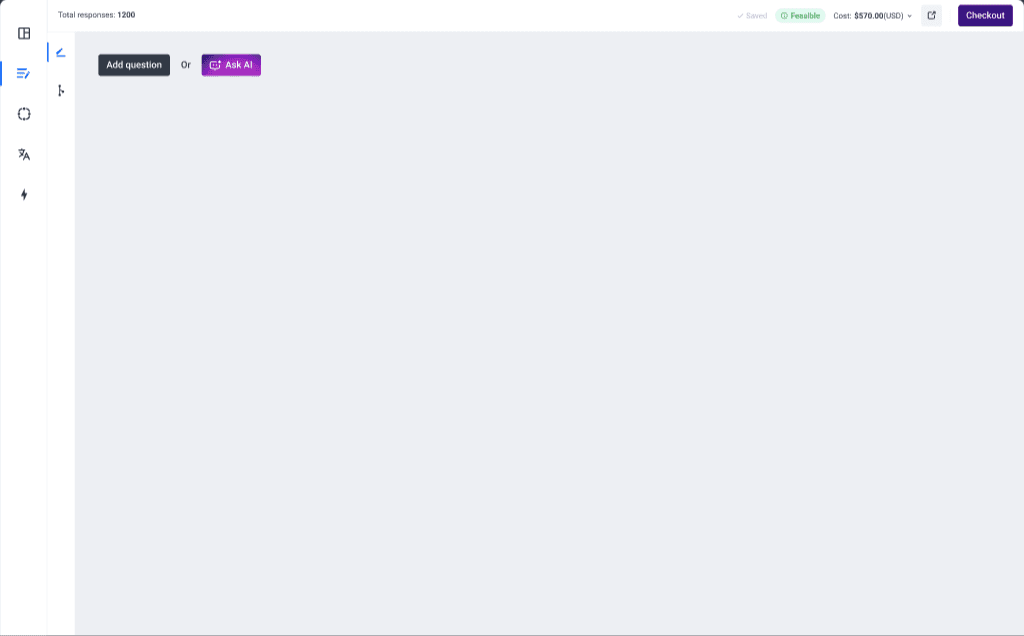
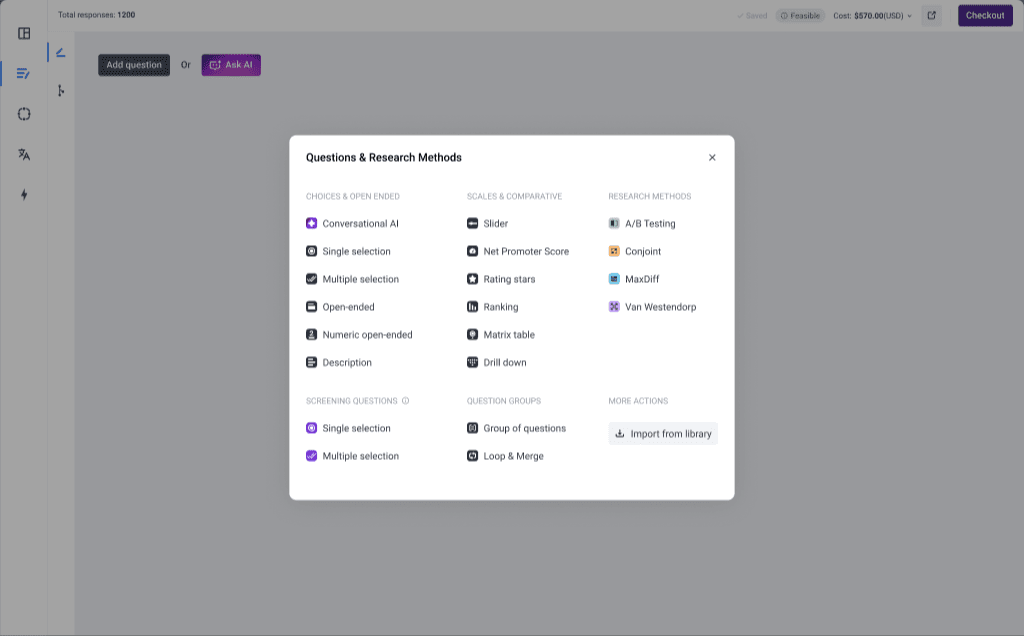
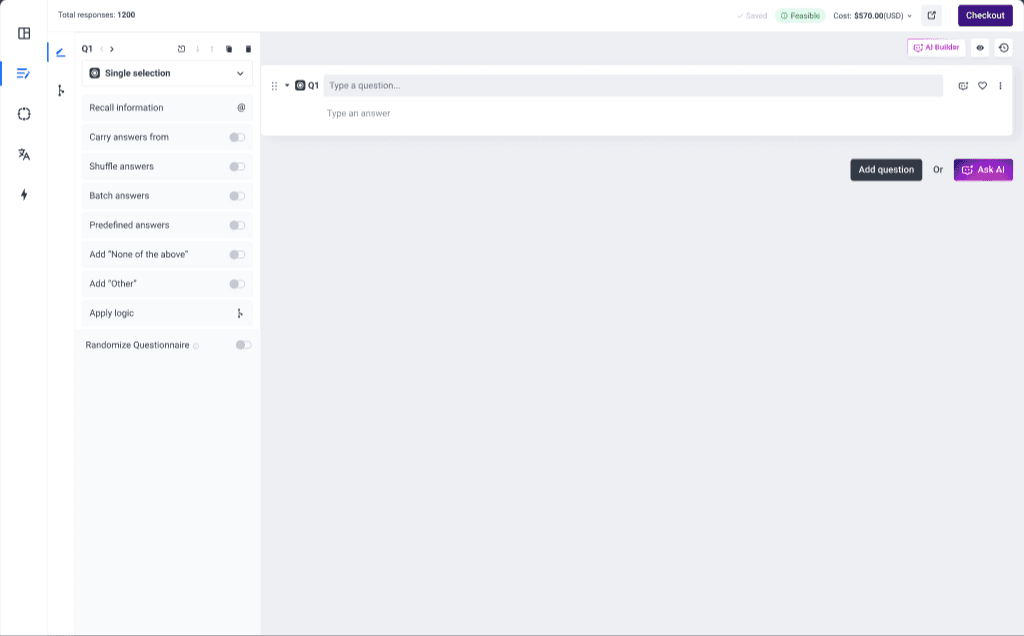
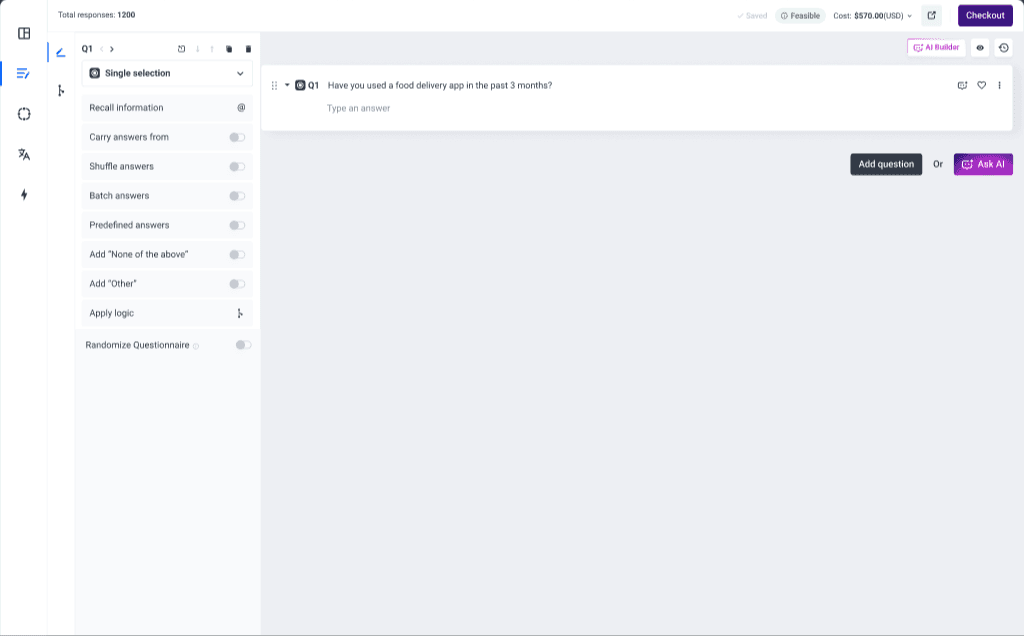
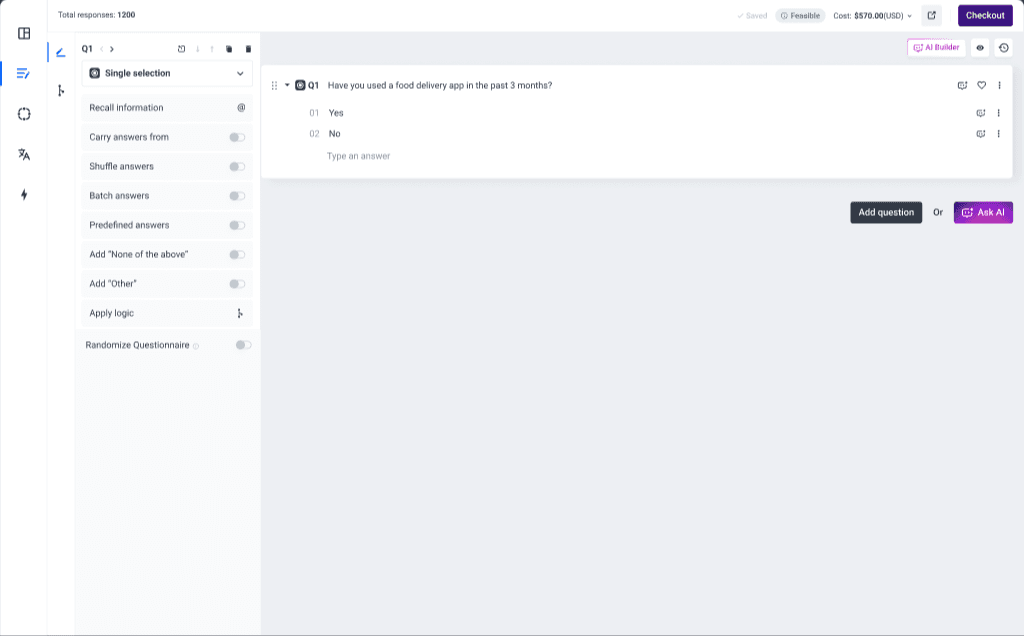
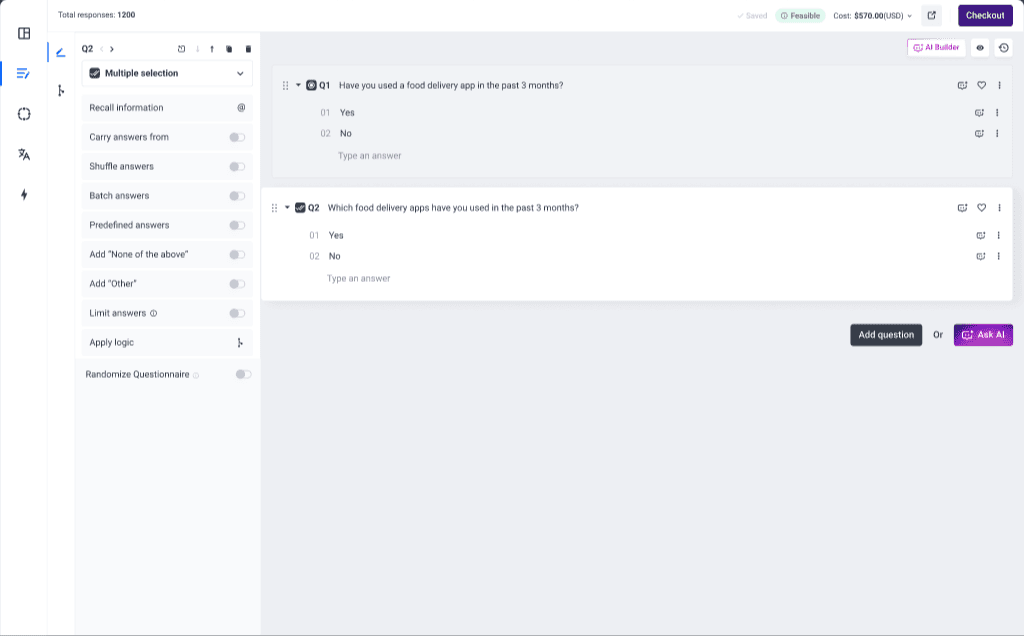
Step 1 of 6: Empty page
Navigation & Editing
As surveys grow longer, restructuring questions becomes essential.

Researchers can reorder questions using drag-and-drop, arrow controls, or by inserting a new question between existing ones. Questions can also be duplicated and converted into different question types, allowing users to reuse existing structures instead of recreating them.
These editing patterns support fast iteration while keeping survey structure manageable.
Questions can be reordered, duplicated, converted, or inserted between existing ones without breaking the editing flow.
Survey flow
Respondent paths
Survey logic defines how respondents move through the questionnaire.
Researchers can create rules based on answers or audience attributes, using combinations of conditions connected with And / Or logic. These rules determine which question a respondent will see next.
The logic editor was designed to read sequentially, allowing rules to be understood as a clear flow rather than as disconnected conditions.
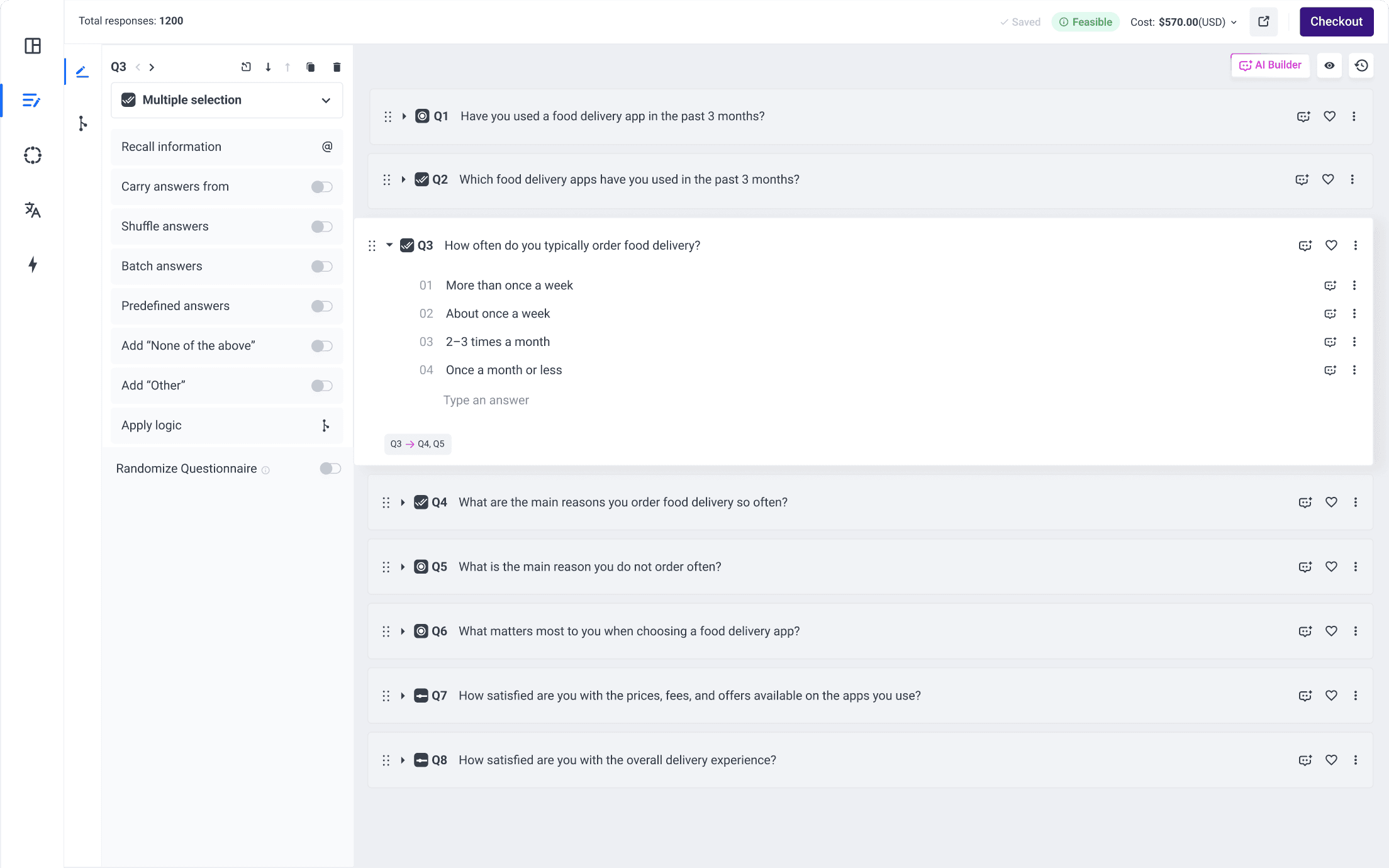
The layout follows the same editing model as the Questionnaire Builder: rules appear on the left while the survey structure remains visible on the right. Researchers can edit questions and answers directly within this view without leaving the logic tab.
Logic and structure stay connected in one workspace so teams can edit and verify flow without context switching.
Logic validation
As survey logic becomes more complex, configuration mistakes can occur.
To prevent this, the builder surfaces potential issues directly in the questionnaire view. If logic rules cause a question to never appear in any scenario, it is flagged as a skipped question.
Inline indicators also show how questions connect to each other, helping researchers understand survey flow without opening the logic editor.
Visualizing survey flow
To help researchers understand complex branching flows, the builder also provides a visual representation of the survey structure.
The Logic Path view displays the full questionnaire as a node-based flow, making it easier to verify how respondents move between questions and identify potential issues in the survey structure.
Research Capabilities
Research frameworks
Beyond basic question types, the builder supports advanced research methods including:
- A/B testing
- Conjoint analysis
- MaxDiff
- Van Westendorp pricing studies
These methods introduce specialized survey structures directly within the builder, allowing researchers to design sophisticated studies without leaving the questionnaire environment.
The builder supports both standard question types and complete research frameworks within the same system.
Loop & Merge
Loop & Merge enables dynamic question repetition based on previous responses.
Instead of manually duplicating question groups, researchers can define a set of questions that repeat automatically for each selected option from a previous question.
This significantly reduces manual setup and allows complex survey structures to remain manageable.
Preview & validation
To ensure the survey behaves as expected, the builder includes an interactive preview that simulates the respondent experience.
Researchers can answer questions and immediately see how the survey path changes based on their responses, allowing them to validate both question behavior and logic before launching the survey.
Impact
Result
Over time, the Questionnaire Builder evolved from a simple survey editor into a scalable system capable of supporting advanced research workflows.
By gradually introducing research methods, survey logic, and dynamic survey structures, the builder became the foundation of Pollfish's survey creation platform.
What I learnt
Designing a core product surface over several years reinforced the importance of system thinking over isolated features.
Each new capability from research methods to survey logic had to integrate into the same editing model without increasing complexity for everyday users.
This project taught me how to evolve a system incrementally: introducing new capabilities while preserving clarity and consistency across the interface.
What I would change
If redesigning the builder today, I would revisit interaction patterns that evolved gradually over time.
Some areas of the interface reflect earlier product constraints and would benefit from simplification now that the system supports more advanced research capabilities.
A future iteration could unify certain editing patterns and reduce configuration complexity while preserving the flexibility required for complex studies.